Improvements on the pull request overview in public preview
GitHub updated its pull request Overview preview on November 19, 2026, fixing false merge blocks from optional checks and adding commit comparison links.
By Dillip Chowdary • Nov 20, 2026 • Source: GitHub Changelog
At a glance
- Product
- GitHub pull request Overview page
- Release stage
- Public preview update
- Preview launch
- November 5, 2026
- Update date
- November 19, 2026
- Availability
- Opt-in via header button
- Feedback forum
- Overview preview feedback discussion
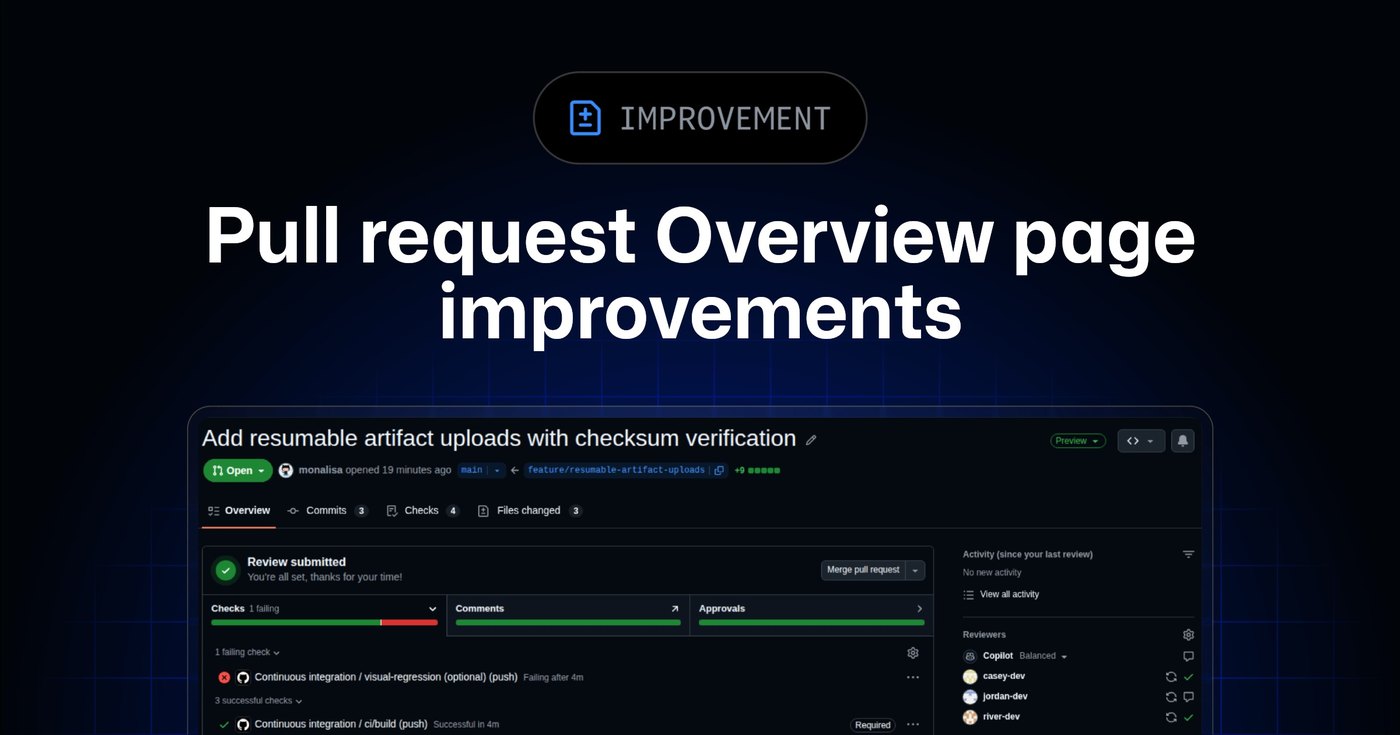
GitHub rolled out a targeted update to its redesigned pull request Overview interface, addressing early feedback collected since the public preview launched on November 5, 2026. The refresh refines merge readiness indicators, streamlines review navigation, exposes comparative commit timelines, and cleans up responsive layout bugs across screen viewports, according to GitHub Changelog's report. These revisions focus on removing false merge blockers while preserving critical context during peer reviews.
This technical breakdown covers the functional changes introduced in the November 19, 2026 preview update, detailing adjustments to status checks, conversation threads, branch displays, and direct sidebar controls. It is written for software engineers, engineering managers, open-source maintainers, and developer tooling specialists who evaluate pull requests on GitHub. Readers will learn how the interface changes affect daily code reviews, collaborator handoffs, and opt-in settings during the public preview.
01Merge status and requirement indicators
Engineers reviewing pull requests now receive a revised merge readiness summary that clarifies the exact state of incoming contributions. In earlier builds of the preview, optional checks that failed would incorrectly signal that a mergeable pull request was blocked from merging. GitHub removed that misleading status indicator so that non-blocking checks no longer create false alarms for authors or repository maintainers.
The readiness panel also exposes previously missing requirements directly in the interface so teams immediately identify whatever holds up an approval. Reviewers and casual visitors now see actionable summaries detailing which specific criteria require attention before a branch can land cleanly. When a pull request meets all repository conditions, the system explicitly confirms that no further action is needed from reviewers.
| Area | Previous preview state | Updated preview state |
|---|---|---|
| Optional status checks | Failed optional checks made mergeable pull requests appear blocked | Failed optional checks no longer display as blocking errors |
| Merge requirements | Unlisted requirements left pending tasks ambiguous | Missing criteria show items needing direct team attention |
| Readiness summary | Unclear state indicators for reviewers | Explicit notification displayed when no action is needed |
These status refinements ensure that repository branch protection rules function transparently without cluttering the primary header. Contributors can now distinguish between critical continuous integration failures and harmless secondary tasks before requesting administrative overrides. The clearer readiness summary speeds up triage cycles across active development teams handling high pull request volumes.
02Expandable reviews and collapsed threads
Review interactions received key usability changes designed to keep ongoing code evaluations clean and predictable. When team members click on checks or approvals, the interface now expands those items directly within the page flow instead of pinning an overlay preview. This modification resolves longstanding complaints regarding overlapping preview boxes that previously obscured surrounding contextual code discussions.
Mobile users and developers working on compact touch devices also benefit from corrected interaction behaviors across the comment timeline. GitHub addressed recurring touch issues where preview elements would obstruct buttons and form inputs during mobile reviews. Consequently, navigators can scroll through dense discussion streams without accidental trigger events or trapped pointer focus.
Discussion hygiene improves through automated thread management, as resolved review discussions now collapse automatically out of the visible workspace. Additionally, any comment mentioning Copilot now provides an expanded explanation describing the exact action and the selected model before users submit their prompt. These adjustments ensure that conversation threads remain organized while surfacing AI assistant parameters upfront.
Advertisement
Tech Pulse Daily
Get tomorrow's pulse first
Join engineers who read Tech Pulse before stand-up. Free, weekday mornings.
03Force-push comparisons and commit timestamps
Tracking iterative code modifications across rebases is significantly more straightforward under the updated activity timeline. Whenever a contributor executes a force-push, the activity log generates direct links to both the previous commit and the new commit. Reviewers can select those linked SHA references to inspect the precise diff introduced by the rebase operation.
Prior to this release, determining how an author rebased or amended a branch required digging into external command-line logs. Linking earlier and replacement commit states directly within the web interface preserves the continuity of code reviews across substantial branch rewrites. Engineers can verify that an interactive rebase did not drop crucial feedback commits or introduce unintended merge regressions.
Commit activity entries now display explicit timestamps directly beside each recorded change in the timeline. Incorporating precise temporal markers allows distributed engineering teams to verify the exact chronological order of code submissions during incident reviews. This historical clarity eliminates confusion when reconciling parallel updates pushed by multiple collaborators across distinct time zones.
04Branch visibility and direct sidebar editing
The responsive layout of the pull request Overview received structural revisions to preserve spatial hierarchy on compact monitors and laptops. Source and target branches now remain persistently visible across smaller display viewports, ensuring that developers never lose awareness of their destination branch. This adjustment prevents accidental merges into wrong target branches when working on split-screen desktop arrangements.
Administrative controls and related issue associations are now accessible directly within the primary Overview layout without opening secondary tabs. Maintainers can edit metadata links in the Development sidebar in place to associate pull requests with linked tracking issues. Furthermore, repository managers can lock or unlock entire pull request conversations directly from the Overview view when managing community discussions.
Visual alignment and typography spacing also received targeted bug fixes to eliminate gaps between the main content stream and side panels. Earlier preview builds exhibited uneven margins and misaligned elements when rendered across varying browser widths. The polished grid structure establishes consistent padding across all sections, keeping the sidebar anchored cleanly beside the activity stream.
05Header preview toggle and community feedback
Developers interested in evaluating the redesigned experience can opt in directly from the GitHub web header interface. Selecting the Try the Overview page button marked with a sparkle icon activates the modern layout immediately for current repositories. Teams can use the exact same header menu at any point to switch back to the classic pull request overview.
Note: This preview represents an initial starting point rather than the finished pull request experience, as GitHub continues evaluating everyday code review workflows. Engineering teams are encouraged to test the modern layout on upcoming pull requests and report usability bugs or missing context. Community members can submit their observations directly through the dedicated overview preview feedback discussion thread.
GitHub is actively using community discussion threads to determine which interactions feel intuitive and where engineers still lose review context. Feedback regarding navigation friction or scenarios that compel developers to return to the classic view will directly shape upcoming feature releases. Ongoing participation from production teams ensures that future iterations address real-world code collaboration bottlenecks before wide general availability.
Frequently asked questions
How do developers enable or disable the new pull request Overview page?
Users can opt in by clicking the Try the Overview page button in the header. The same header menu allows developers to return to the classic overview at any time during the preview.
Why did failed optional checks block pull requests in earlier preview versions?
A display issue in earlier builds caused failed optional checks to make mergeable pull requests appear blocked. GitHub resolved this so non-mandatory checks no longer present false merge blockers.
How does the updated Overview handle force-pushes and rebased commits?
Force-push timeline entries now provide direct links to both the old and new commits to allow side-by-side comparison. In addition, commit activity entries now display timestamps showing when changes occurred.
What improvements were made to Copilot comments and review threads?
Comments mentioning Copilot now explain the intended action and selected model before submission. Furthermore, resolved review threads collapse automatically to keep completed conversations out of the workspace.
Sources

Author
Dillip Chowdary
Writes Tech Bytes coverage of AI, engineering, and the tools that actually ship. Editor of Tech Pulse Daily.
Related on Tech Bytes
Advertisement