Microsoft is killing its great tasks app in favor of its worse tasks app
Microsoft will retire its To Do apps on June 30, 2027, forcing enterprise users onto Planner while cutting off personal accounts without data exports.
By Dillip Chowdary • Nov 20, 2026 • Source: The Verge
At a glance
- Product
- Microsoft To Do
- Acquisition price
- Up to $200 million in 2015
- Retirement date
- June 30, 2027
- Replacement product
- Microsoft Planner
- Target audience
- Enterprise and business accounts only
- Consumer support
- Personal accounts excluded from Planner
Microsoft announced that it will officially retire its Microsoft To Do applications on June 30, 2027, as detailed in The Verge's report. The software maker is directing commercial organizations toward Microsoft Planner while offering no automated migration pipeline for existing task lists. Meanwhile, individuals who rely on personal Microsoft accounts are being cut off from internal alternatives entirely.
This report examines the official sunset schedule, the absence of migration utilities for corporate accounts, and the exclusion of consumer profiles from enterprise productivity tools. It outlines the operational impact for daily task planners, workplace administrators, and individual subscribers evaluating replacement software across desktop and mobile platforms.
01Wunderlist acquisition and standalone task management
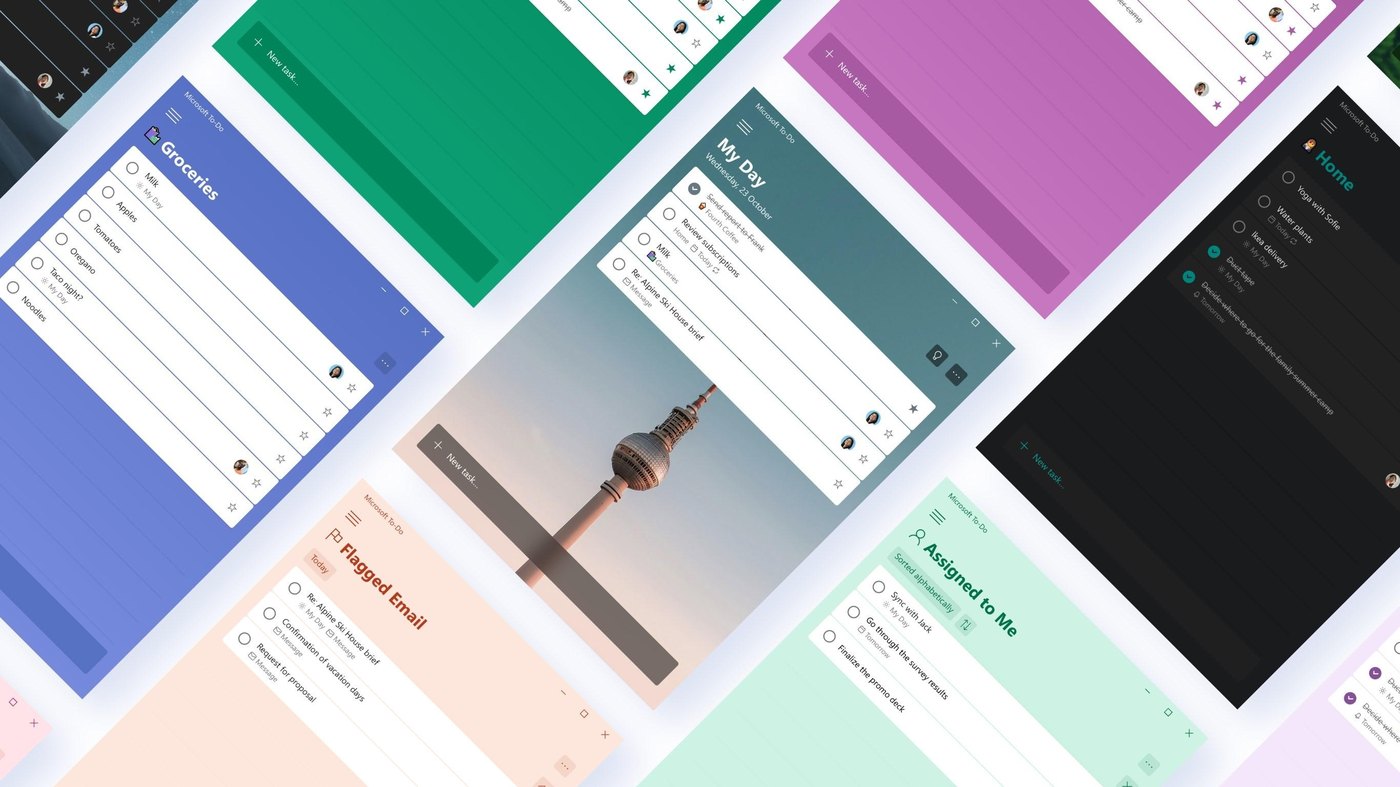
In 2015, Microsoft acquired the popular task management application Wunderlist for a rumored purchase price reaching as high as 200 million dollars. Community members originally expressed concern that enterprise ownership would strip the software of its consumer appeal or lock core capabilities behind complex corporate tiers. Instead, the company maintained the core experience while rebranding the platform as Microsoft To Do across desktop and mobile systems.
For nearly a decade, the utility operated as a dependable and straightforward service for coordinating personal routines and workplace checklists. The application maintained dedicated clients across platforms, allowing people to manage basic daily tasks without navigating complex project management systems. Its interface earned loyal adoption from individual organizers who valued quick entry and clean multi-device synchronization over cumbersome enterprise tracking boards.
02Retirement date and manual business migration
The decision to dismantle the utility was disclosed inside an announcement regarding unified tasks and plans for Copilot and Microsoft 365. Microsoft confirmed that the To Do family of applications will formally retire on June 30, 2027. Commercial organizations must transition team workflows to Planner starting next summer, but Microsoft will not migrate existing user tasks automatically.
The operational burden of moving lists, deadlines, and item notes will fall entirely on individual workers and system administrators. Corporate teams must recreate task structures manually inside Planner before the shutdown deadline arrives. The lack of automated export pipelines creates significant friction for organizations that accumulated years of structured checklist data inside the outgoing system.
Note: Microsoft confirmed that customers using personal Microsoft accounts will need to choose another app entirely. The company offers no direct transition path or data export assistance for consumer accounts, leaving non-commercial users without access to internal replacement software when the service shuts down in 2027.
03Copilot workspace consolidation and enterprise tools
Advertisement
Tech Pulse Daily
Get tomorrow's pulse first
Join engineers who read Tech Pulse before stand-up. Free, weekday mornings.
The company justified the platform retirement as part of a wider effort to streamline overlapping project management utilities. Microsoft acknowledged that maintaining half a dozen separate productivity tools created unnecessary complexity across organizations. Consolidating disparate task trackers into a single ecosystem aligns with the software maker's corporate strategy to embed Copilot artificial intelligence across all daily work functions.
The shift centers on connecting collaborative tooling under a unified architecture marketed around workplace intelligence concepts. According to Microsoft, centralizing task management simplifies access to Planner through Copilot, Cowork, and Autopilot within its Work IQ framework. The consolidation treats daily checklists primarily as structured corporate telemetry designed to power enterprise machine learning assistants rather than simple personal reminders.
04Enterprise planner limits and personal account lockouts
Planner functions as a corporate management environment administered by corporate IT personnel and monitored by departmental managers. The software is unavailable through personal or family Microsoft 365 subscriptions, preventing household accounts from adopting it even if they desired to do so. This barrier signals the technology company's formal retreat from supporting standalone consumer productivity software outside commercial contracts.
Planner also lacks critical software capabilities that made its predecessor appealing to everyday users. The business tool provides no dedicated native desktop application, forcing employees to access task lists through web browsers, Microsoft Teams, or Microsoft Outlook. Furthermore, Planner does not match the nimble synchronization protocols and personal list sharing features that defined the earlier platform.
| Feature | Microsoft To Do | Microsoft Planner |
|---|---|---|
| Target audience | Personal and commercial users | Enterprise and corporate teams |
| Desktop client | Dedicated multi-platform apps | Web, Teams, and Outlook only |
| Account support | Personal, family, and enterprise | Corporate Microsoft accounts |
| Task transition | Direct Wunderlist legacy sync | Manual recreation required |
05Consumer alternatives across desktop and mobile devices
Displaced users seeking dedicated task managers must look toward established third-party services operating across web and mobile platforms. Todoist and TickTick represent the two most prominent standalone contenders, offering cross-platform synchronization, flexible notifications, and structured list layouts. Many active community members on public forums note that the outgoing Microsoft interface still delivered a cleaner user experience than either independent competitor.
Google Tasks provides an additional alternative for individuals seeking deep integration across consumer document suites and calendar tools. Meanwhile, lightweight task management tools generated through community coding environments have proliferated widely across the internet. These emerging options offer straightforward interfaces for tracking daily habits without requiring administrative oversight or paid enterprise seat licenses.
The impending shutdown leaves Microsoft as practically the sole major tech provider actively discouraging personal task tracking within its consumer software ecosystem. While rival technology vendors expand consumer productivity utilities, Microsoft has prioritized enterprise AI subscriptions. Users facing the 2027 retirement timeline must select independent platforms and manually reconstruct their active checklists elsewhere.
Frequently asked questions
When will Microsoft To Do shut down?
Microsoft To Do applications will officially retire on June 30, 2027. Commercial organizations are required to transition to Microsoft Planner starting in the summer of 2027.
Will Microsoft migrate existing tasks to Microsoft Planner automatically?
No, Microsoft will not automatically migrate tasks for business users. Team members and administrators must manually recreate their checklists and task hierarchies inside Planner.
Can personal Microsoft 365 subscribers use Microsoft Planner?
No, Planner is not available for personal or family Microsoft 365 accounts. Users with personal Microsoft accounts must select and migrate to a third-party task management application.
Does Microsoft Planner have a native desktop application?
No, Planner does not offer a standalone desktop application. Users must access the platform through a web browser or through integrations inside Microsoft Teams and Microsoft Outlook.
Sources

Author
Dillip Chowdary
Writes Tech Bytes coverage of AI, engineering, and the tools that actually ship. Editor of Tech Pulse Daily.
Related on Tech Bytes
Advertisement